Having one Security Manager is not fine scale enough for controlling access and permission.
Need a scheme that works on both local and remote access using Java.
Multiple clients need to have their own security control mechanism when access a server remotely. So, one Security Manager is not enough.
Updating Security Manager's code when a new client is added is not doable.
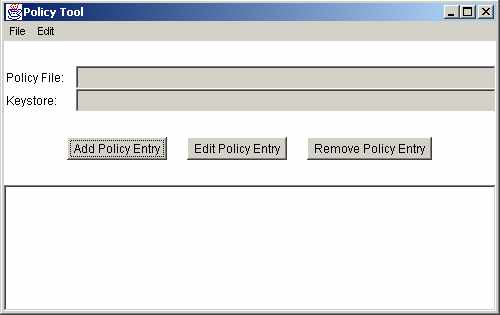
Starting from JDK 1.2, individual permissions are set using the policytool program.
Define policies under java.policy in lib/security.
Default policies such as reading java.version is set as public System properties.
Next up, .java.policy in user's home directory is examined to check for authization.
"policytool" is used to set polcies.
Turn on java debug by using:
C:\>java -Djava.security.debug=help

all           turn on all debugging
access        print all checkPermission results
combiner      SubjectDomainCombiner debugging
jar           jar verification
logincontext  login context results
policy        loading and granting
provider      security provider debugging
scl           permissions SecureClassLoader assigns

The following can be used with access:

stack     include stack trace
domain    dumps all domains in context
failure   before throwing exception, dump stack
          and domain that didn't have permission

Note: Separate multiple options with a comma
Add permission to an applet, so it could write to a file.
Start policy tool
Figure PT01
New -> Add Policy Entry
Codebase -> Enter "file:."
Add Permission
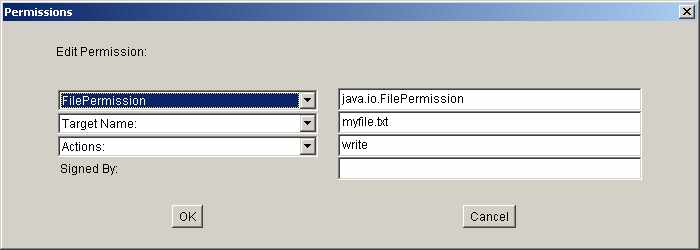
Figure PT02
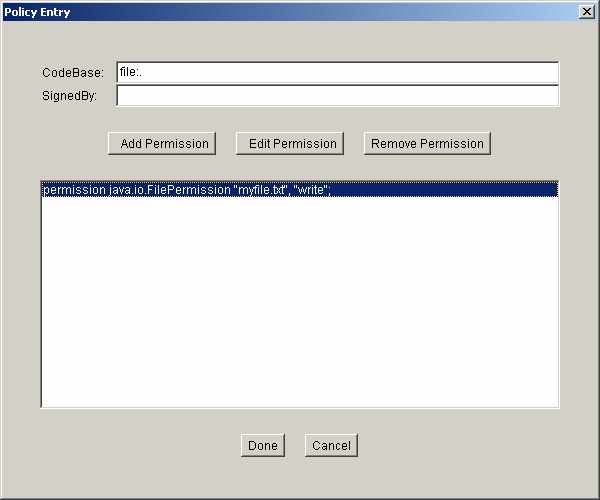
Figure PT03
Done and Save
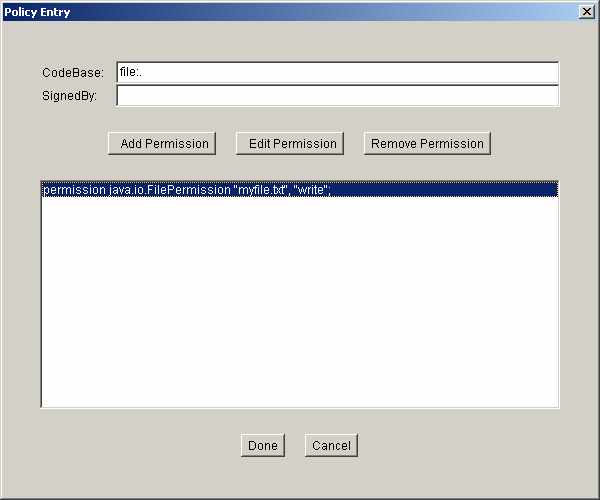
Figure PT04
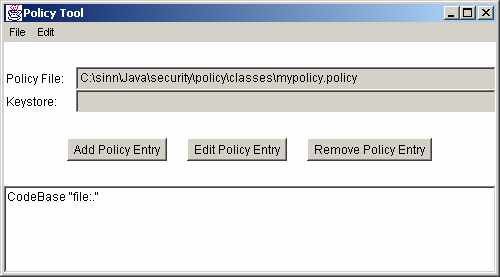
Figure PT05
The policy file (mypolicy.policy) looks like:
/* AUTOMATICALLY GENERATED ON Tue Feb 11 22:37:42 PST 2003*/
/* DO NOT EDIT */

grant codeBase "file:." {
  permission java.io.FilePermission "myfile.txt", "write";
};
import java.io.*;
import java.awt.*;
import java.awt.event.*;
import javax.swing.*;

public class PLTester extends JApplet
{
  JTextArea jta;
  JTextField jtf;
  JButton jb;

  public void init()
  {
    jta = new JTextArea();
    jtf = new JTextField();
    jb  = new JButton ("Save");

    Container c = getContentPane();
    c.add (new JScrollPane(jta), BorderLayout.CENTER);
    c.add (jtf, BorderLayout.NORTH);
    c.add (jb,  BorderLayout.SOUTH);

    jb.addActionListener(new ActionListener()
    {
      public void actionPerformed(ActionEvent e)
      {
        Writer out = null;
        try
        {
          out = new BufferedWriter (new FileWriter(jtf.getText()));
          String s = jta.getText();
          out.write(s);
          JOptionPane.showMessageDialog(PLTester.this,
                                        "Save Happened");
        }
        catch (SecurityException se)
        {
          JOptionPane.showMessageDialog (PLTester.this,
                                         "Security Violation Happened",
                                         "Security Violation",
                                         JOptionPane.ERROR_MESSAGE);
        }
        catch (IOException ie)
        {
          JOptionPane.showMessageDialog(PLTester.this,
                                        "IOException Happened",
                                        "IO Problems",
                                        JOptionPane.WARNING_MESSAGE);
        }
        finally
        {
          if (out != null)
          {
            try
            {
              out.close();
            }
            catch (IOException ignored)
            {
              // Just close
            }
          }
        } // End of finally
      } // End of actionperform
    }); // End of action listener
  }  // End of init
}
<applet code="PLTester" WIDTH="300" HEIGHT="200" ALT="Policy Tool"></applet>
java -Djava.security.policy=mypolicy.policy sun.applet.AppletViewer PLTester.htm
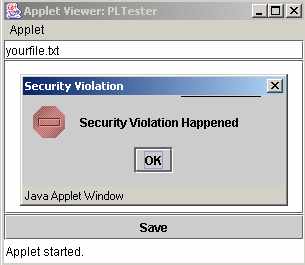
Security Violation when a file is saved.
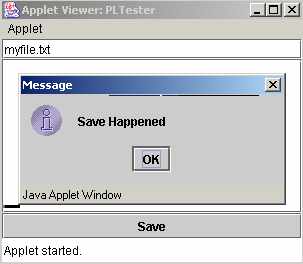
Only myfile.txt can be saved.
Create another policy file that looks like the following:
/* AUTOMATICALLY GENERATED ON Wed Feb 26 22:28:07 PST 2003*/
/* DO NOT EDIT */

grant {
  permission java.util.PropertyPermission "java.io.tmpdir", "read";
};
Create a Java program that looks like:
import java.io.*;

public class GetDirName
{
  public static void main (String args[])
  {
    String dirname = System.getProperty ("java.io.tmpdir");
    System.out.println (dirname);
  }
}
Run normally:
java -Djava.security.manager GetDirName
Exception in thread "main" java.security.AccessControlException: access denied (
java.util.PropertyPermission java.io.tmpdir read)
        at java.security.AccessControlContext.checkPermission(Unknown Source)
        at java.security.AccessController.checkPermission(Unknown Source)
        at java.lang.SecurityManager.checkPermission(Unknown Source)
        at java.lang.SecurityManager.checkPropertyAccess(Unknown Source)
        at java.lang.System.getProperty(Unknown Source)
        at GetDirName.main(GetDirName.java:7)
Run with the new policy file (sinn.policy)
java -Djava.security.policy=sinn.policy -Djava
.security.manager GetDirName
C:\DOCUME~1\sinn\LOCALS~1\Temp\